


thinkdeck
thinkdeck

a thinkjoin studio

Decks, documents and PDFs. One easy place.

Text Steve or call him and ask for a deck: it lands here finished, with every word still editable. Or start from a blank page and build it yourself. Either way you send a real PDF or a PowerPoint that still edits.
Sign in with your thinkjoin account: Google, or an email link.

thinkdeck
A deck open in thinkdeck, ready to editA deck open in thinkdeck, ready to edit
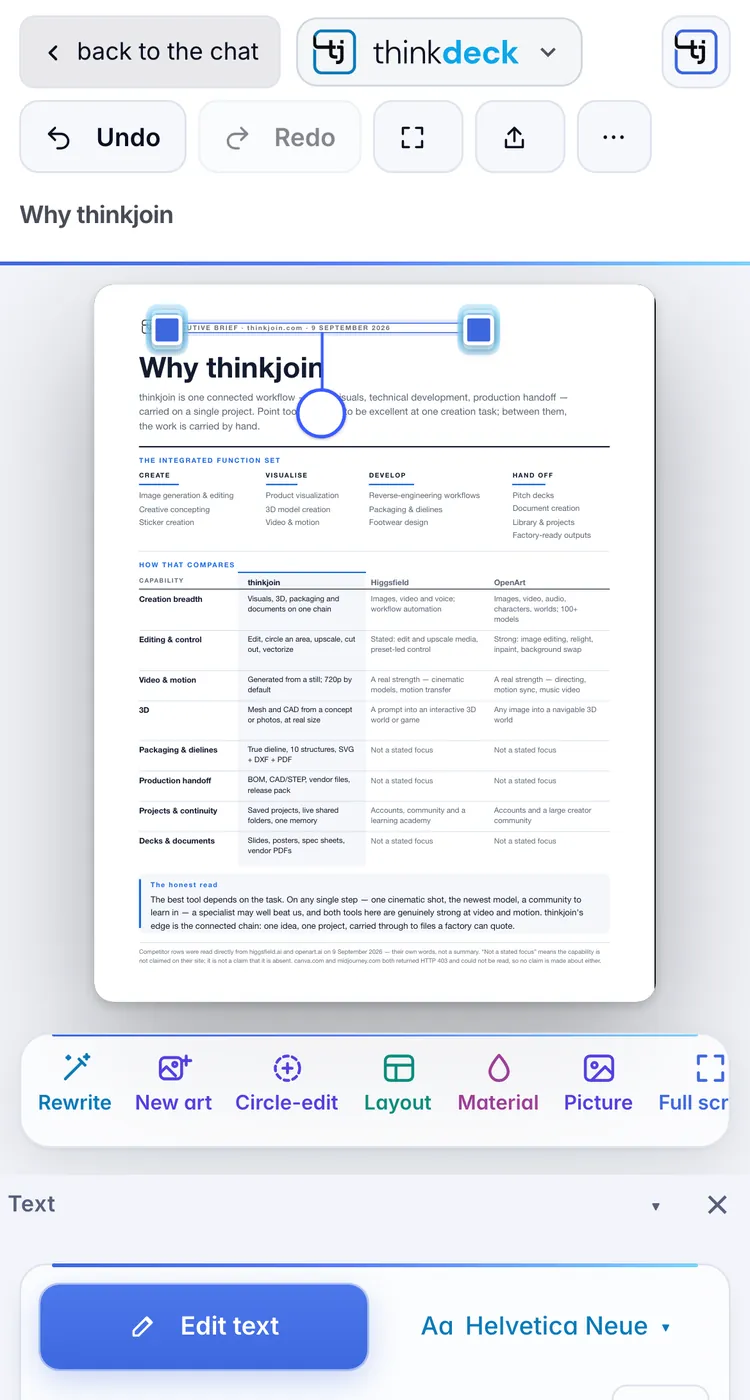
Editing a deck on a phone in thinkdeckEditing a deck on a phone in thinkdeck
thinkdeck on a phone, a deck ready to editthinkdeck on a phone, a deck ready to edit

Real thinkdeck screens, shown on a house deck.

Why it is different

No more bouncing between apps.

A deck used to mean a word processor, a slide app, an image generator and a PDF editor, and a lot of copying between them. thinkdeck puts all of it on one page.

The old way

Five apps and a lot of back and forth.

  1. Write it in Word or Google Docs.
  2. Lay it out in PowerPoint or Keynote, one text box at a time.
  3. Make the pictures in a separate AI image generator, download them, place them, resize them.
  4. Export the PDF, spot a typo, open Acrobat to patch it.
  5. Change one thing and start the whole round trip again.
With thinkdeck

One place, start to send.

  • The words, the layout, the art and the PDF live on one page.
  • Steve writes, designs and paints the first draft, or you start from a blank page.
  • Open any PDF, Word or PowerPoint file and edit its words right here.
  • New pictures are painted straight into the layout, no downloads.
  • Change a word, export again. A real PDF or a PowerPoint that still edits.
Two ways to start

Automatic, or all by hand.

Let Steve make the whole thing from one message, or make it yourself from scratch. Both end up in the same studio, fully editable.

Way one · Steve makes it

Ask for it. Get a finished deck.

Text Steve or call him and say what you need. He writes the copy, lays out every page, paints the art and checks each page before it reaches you. It opens here, ready to edit.

Make me a 10-page launch deck for our lemonade stand. Bright and fun.
SteveOn it: writing, laying out and painting the art now. I'll send the link the moment it's ready.
TextCallWhatsAppiMessagethinkjoin.com
thinkdeck
A finished deck from Steve, open in thinkdeckA finished deck from Steve, open in thinkdeck

Way two · You make it

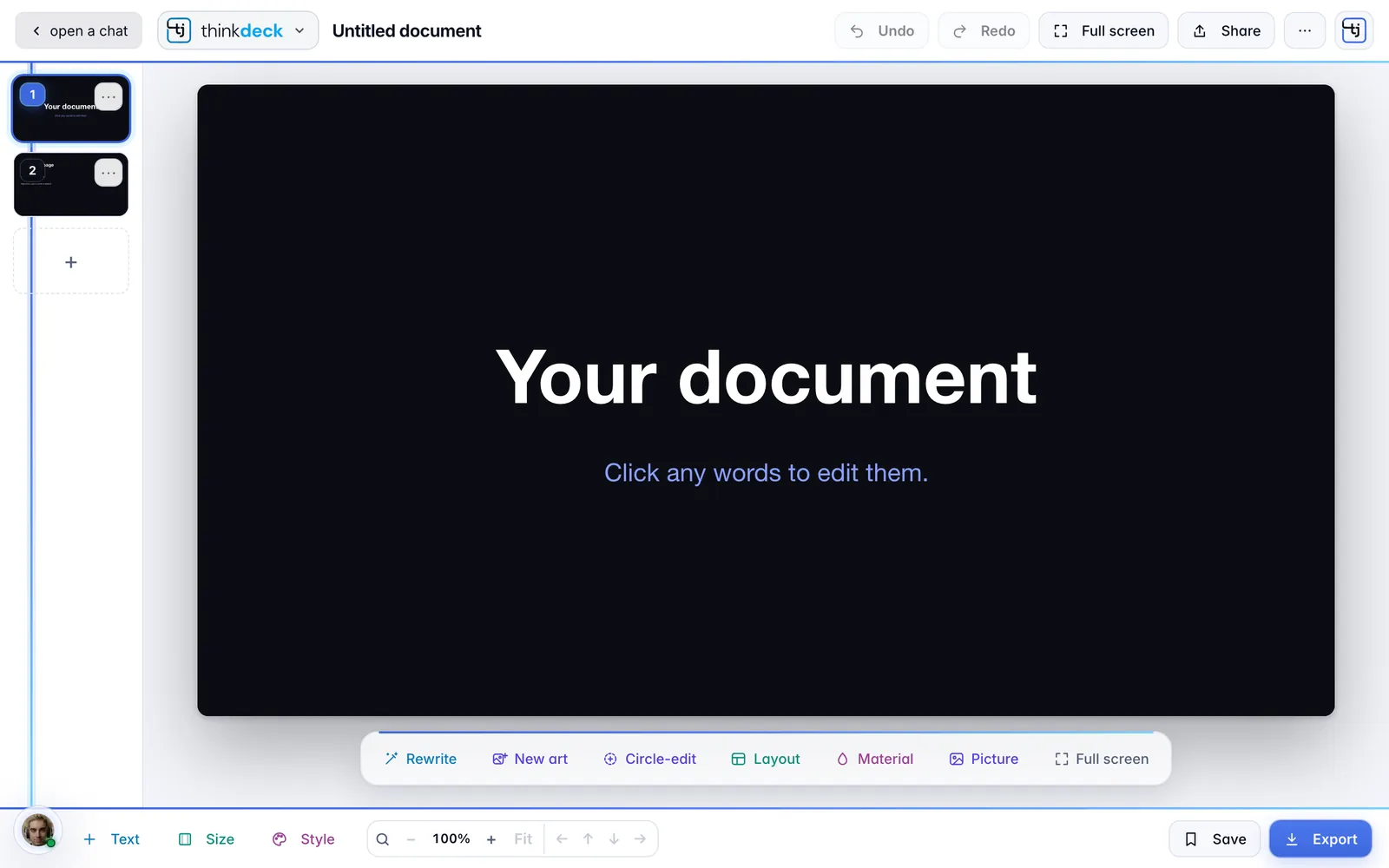
Start blank. Build it your way.

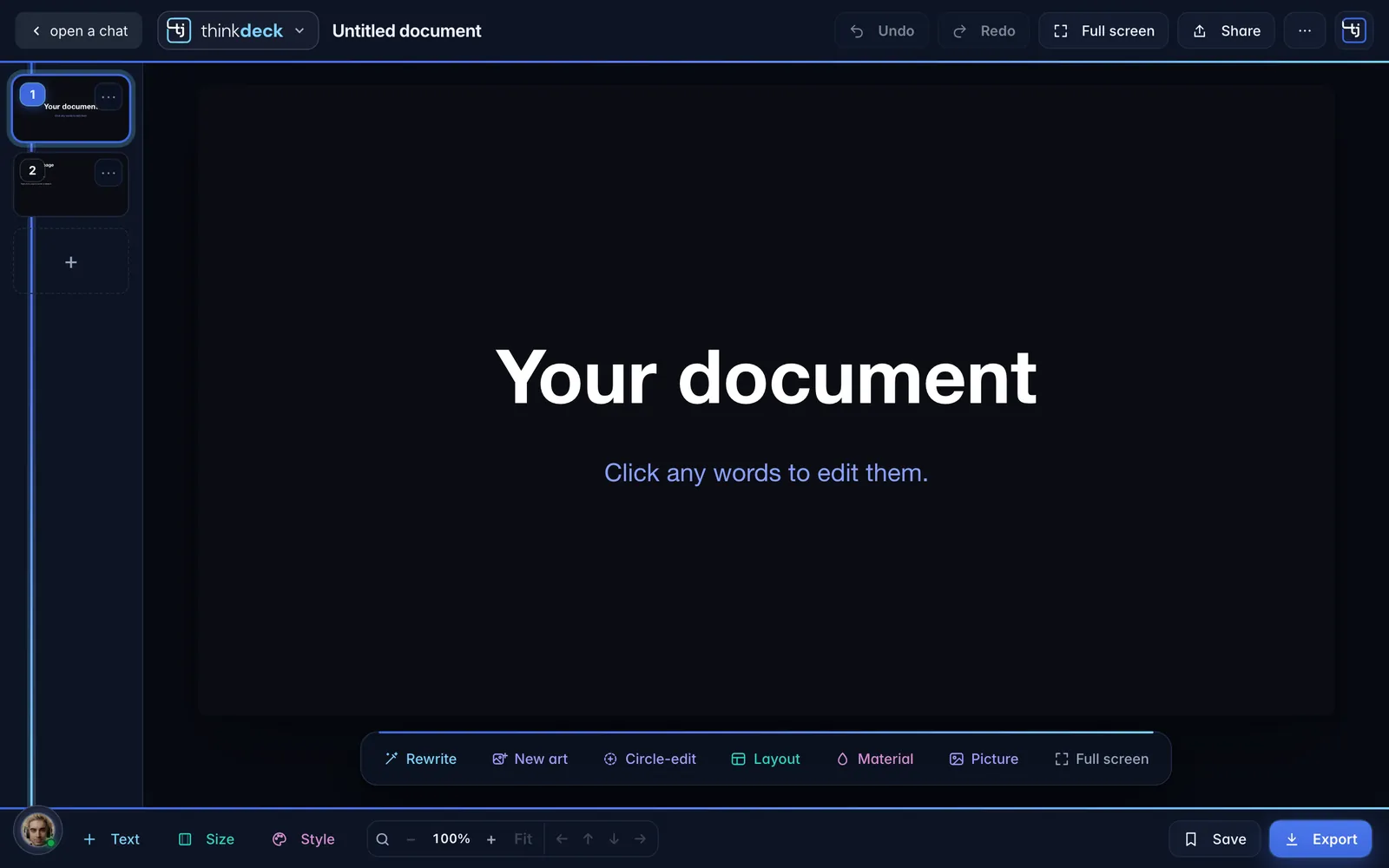
Open a blank page in any of 108 real sizes, then add text, shapes, your own pictures or new art. Pick a layout and a look, and Steve is one tap away when you want a hand.

thinkdeck
A blank page in thinkdeck, ready to buildA blank page in thinkdeck, ready to build

What you can do

Every function, right on the page.

Whoever made the first draft, Steve or you, the deck opens here as a real document: every line its own layer, every picture its own frame. This is what you can do with it.

01

Every word, its own layer.

Click any line and type. Each text box keeps its own face, weight, size and colour, so the deck stays exactly as designed while you change it. Move it, resize it, align it, lock it.

  • The whole Google Fonts library, free everywhere
  • Bold, italic, underline, colour and alignment
  • Undo and redo every step
thinkdeck
A Butter Baby deck page in thinkdeck with a text box selected and the text bar showingA Butter Baby deck page in thinkdeck with a text box selected and the text bar showing
02

Open any PDF. Edit it like it's yours.

This is the Acrobat part. Bring in a PDF, a Word file or a PowerPoint and thinkdeck takes it apart: every line becomes a live text box in its own font, sitting on the original page. Fix the typo, change the price, send it again.

PDFWordPowerPointOpenDocumentRTF

Scanned pages and picture-only PDFs stay pictures.

thinkdeck
A one-page PDF opened in thinkdeck, every line of it an editable text boxA one-page PDF opened in thinkdeck, every line of it an editable text box
03

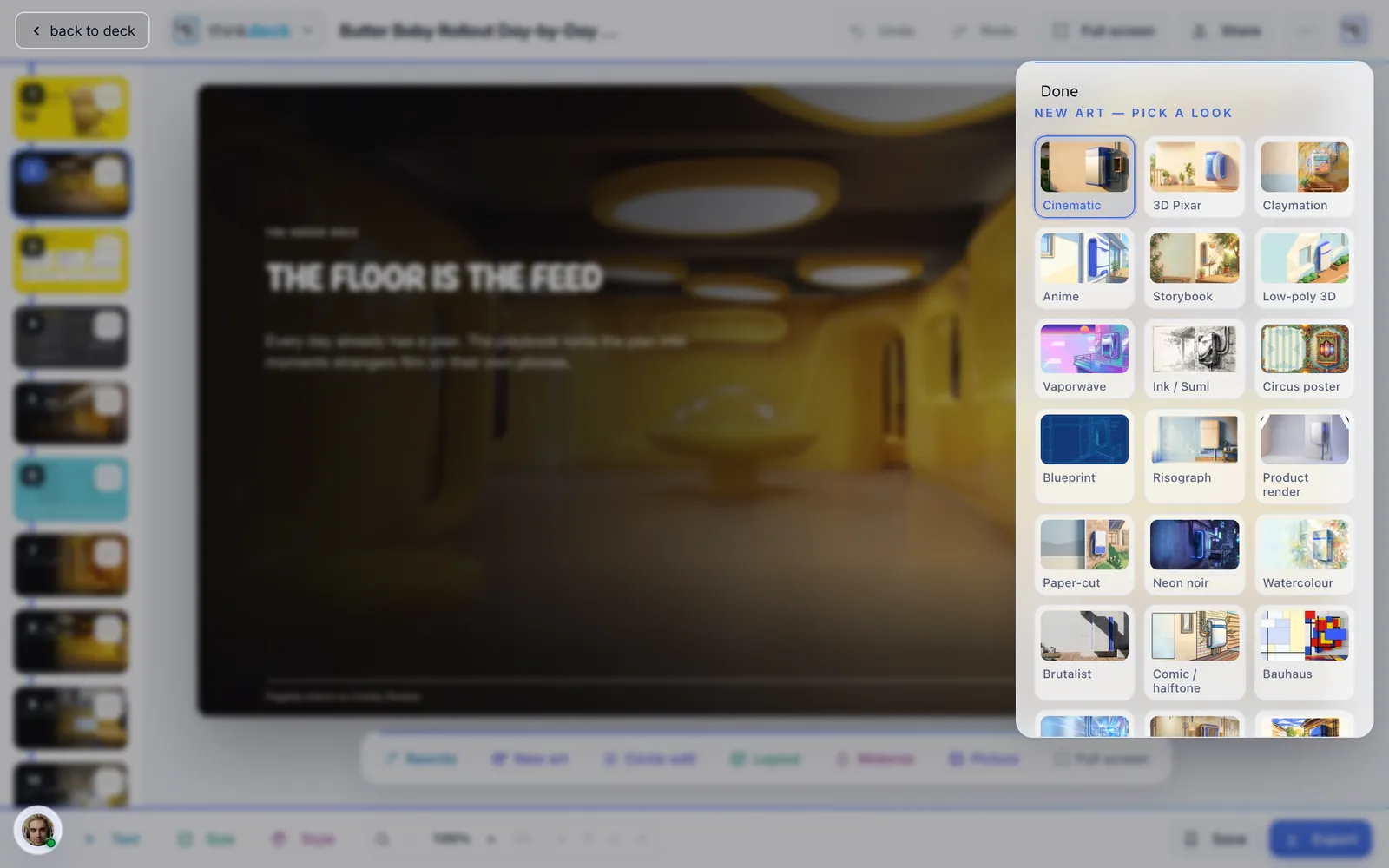
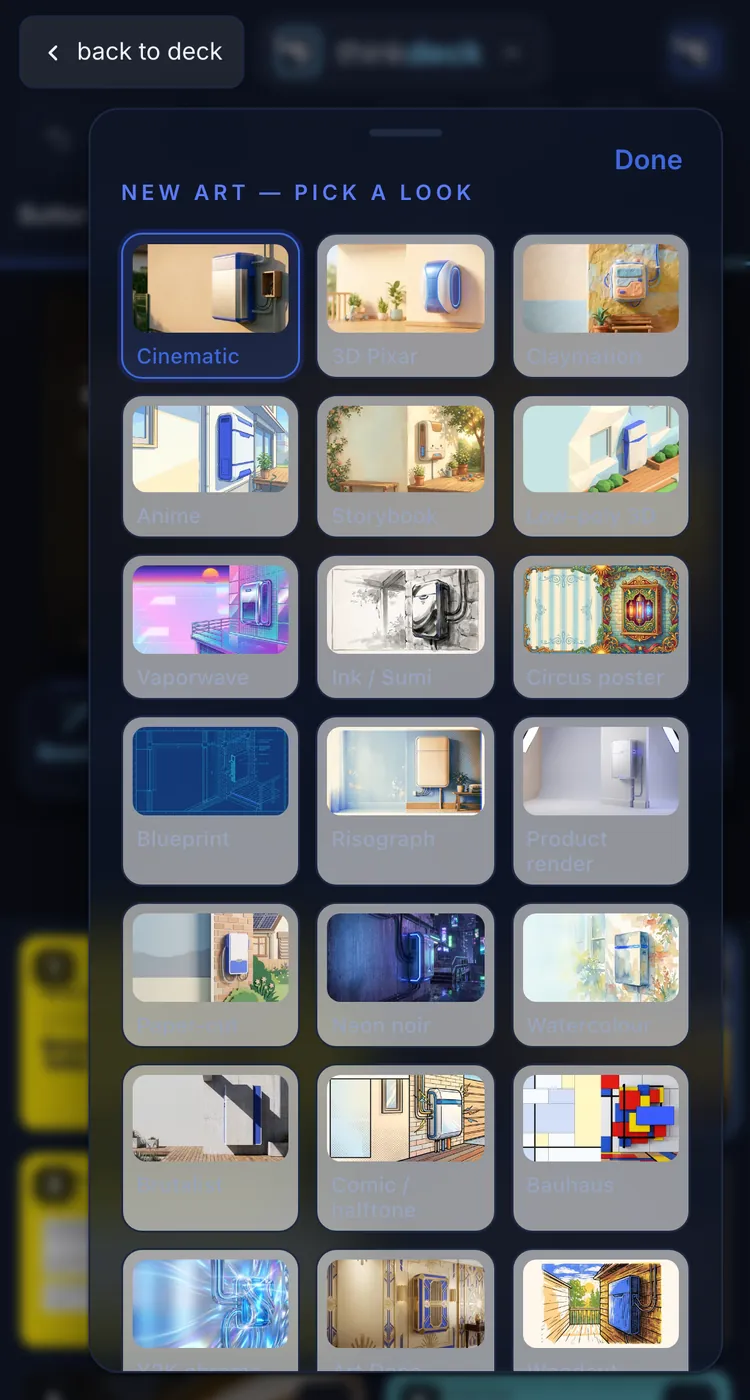
New art, painted into the page.

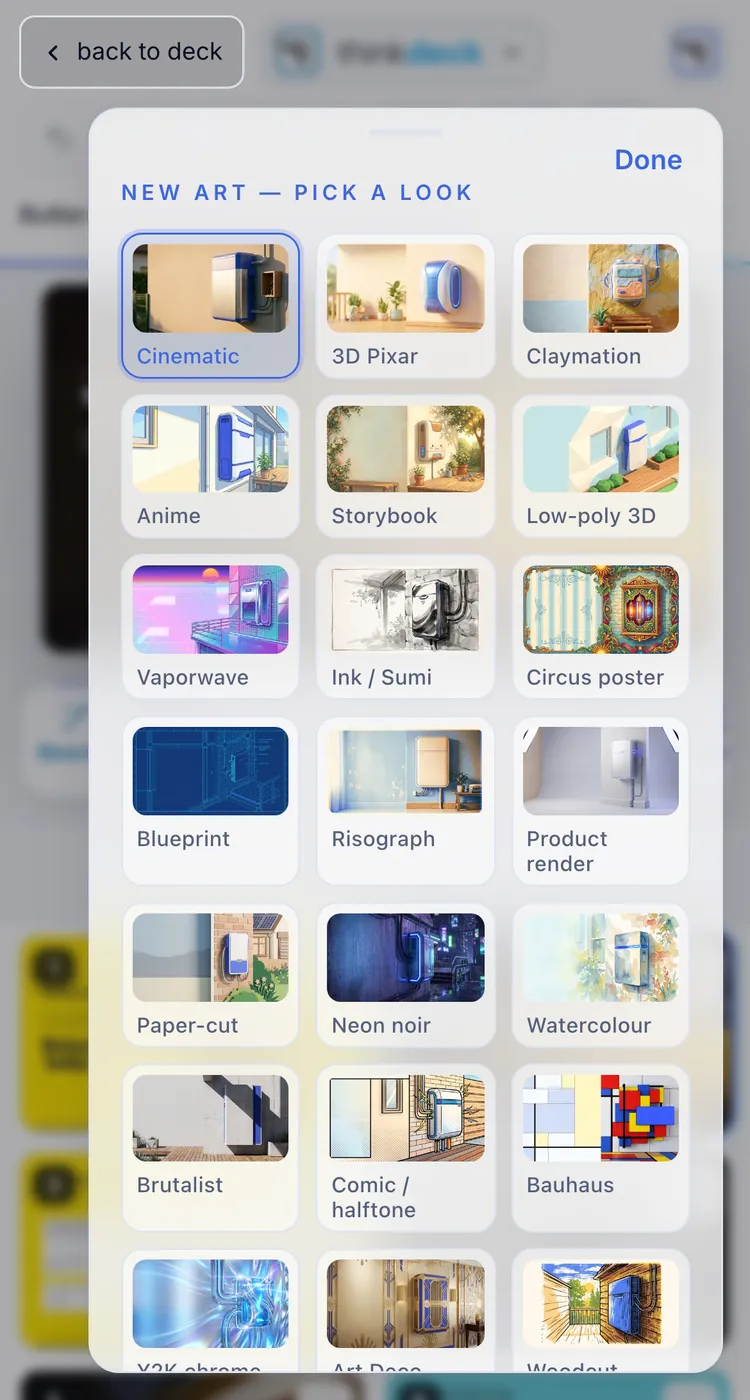
No more downloading from one app and placing in another. Pick a look and Steve paints a new picture for the page, right in the layout. Circle part of a picture to change only that part, or swap in your own.

  • New art in a chosen look
  • Circle-edit one region
  • Cut-outs and your own pictures
thinkdeck
The New art sheet in thinkdeck: looks shown as pictures over a deck pageThe New art sheet in thinkdeck: looks shown as pictures over a deck page
04

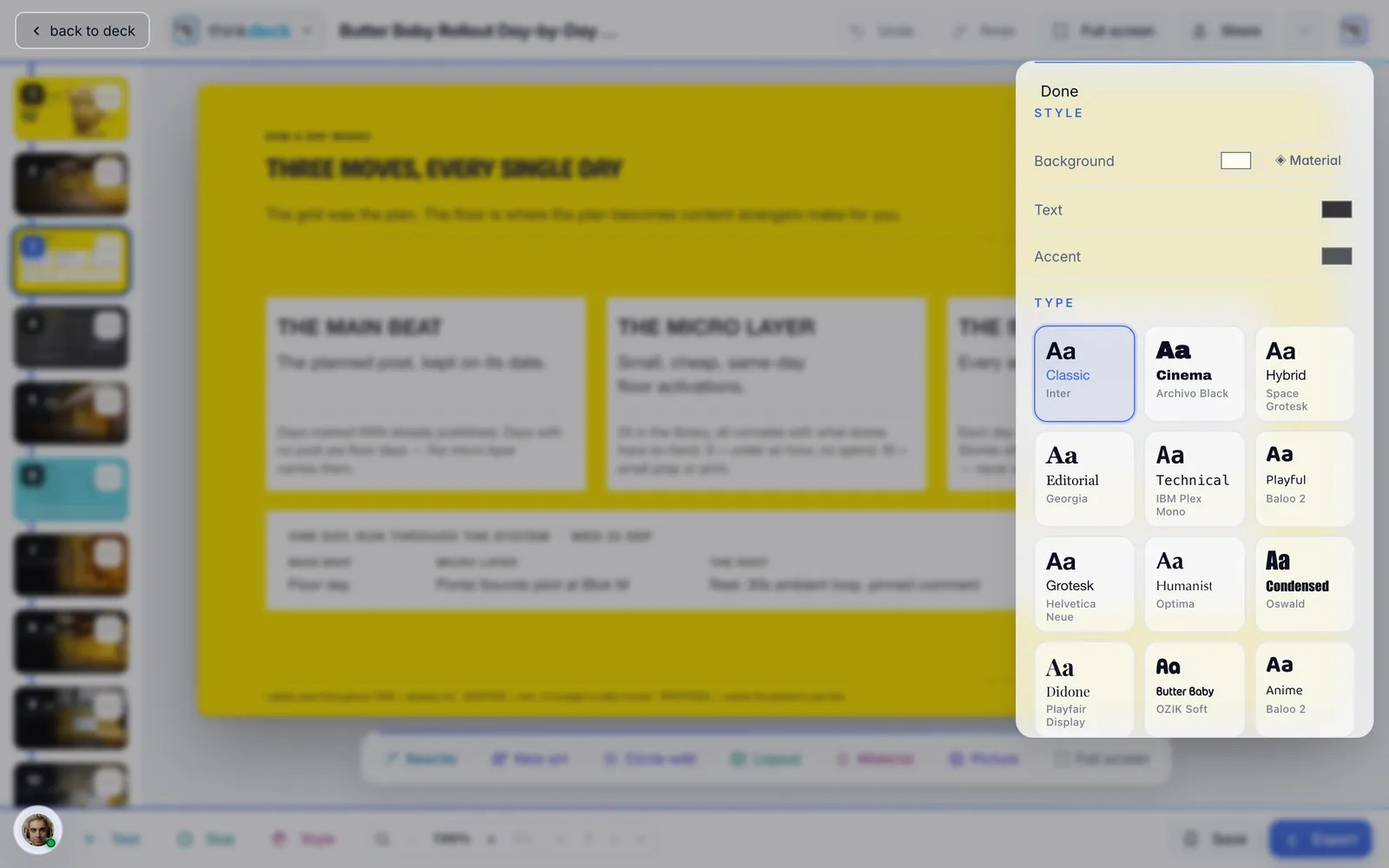
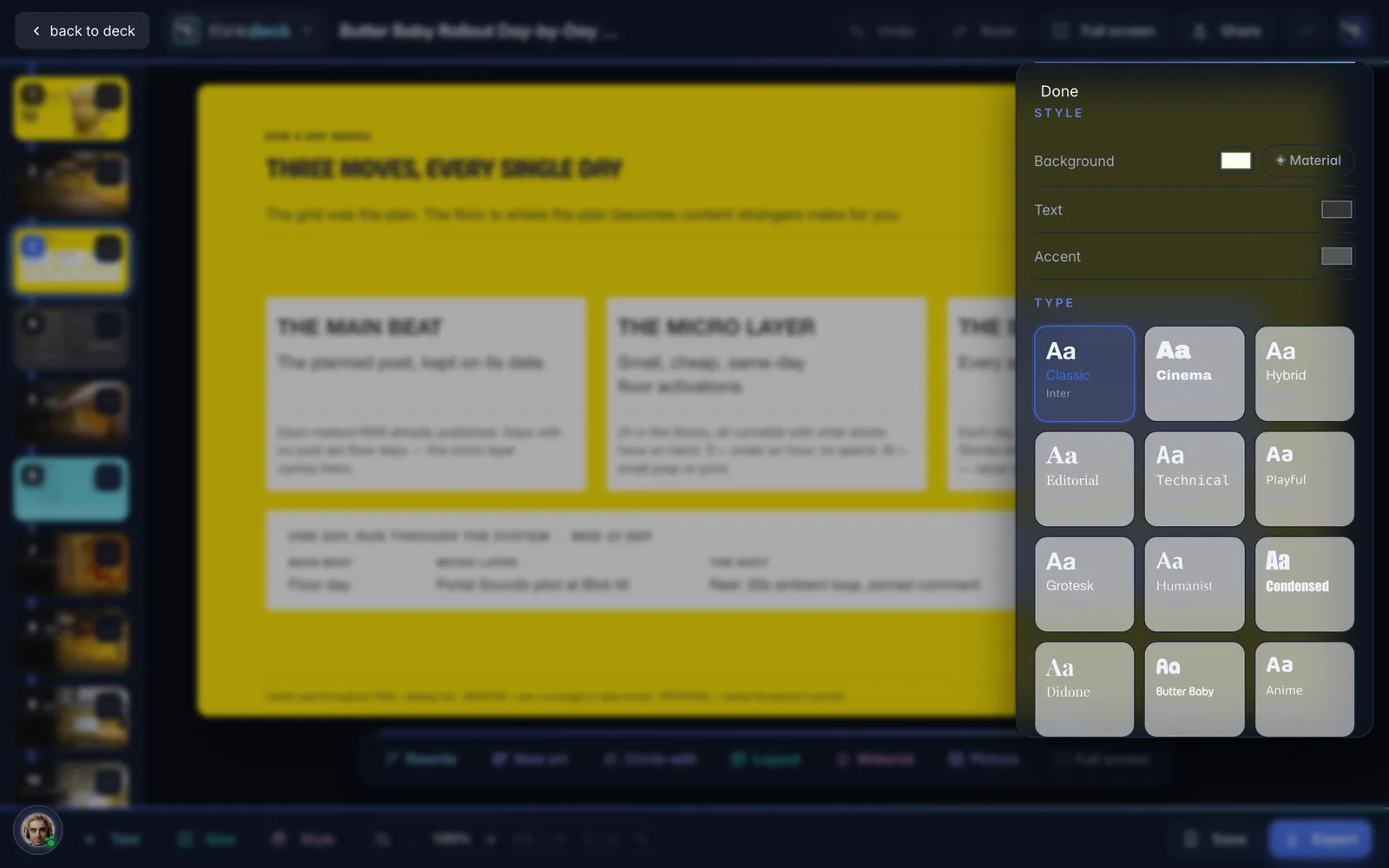
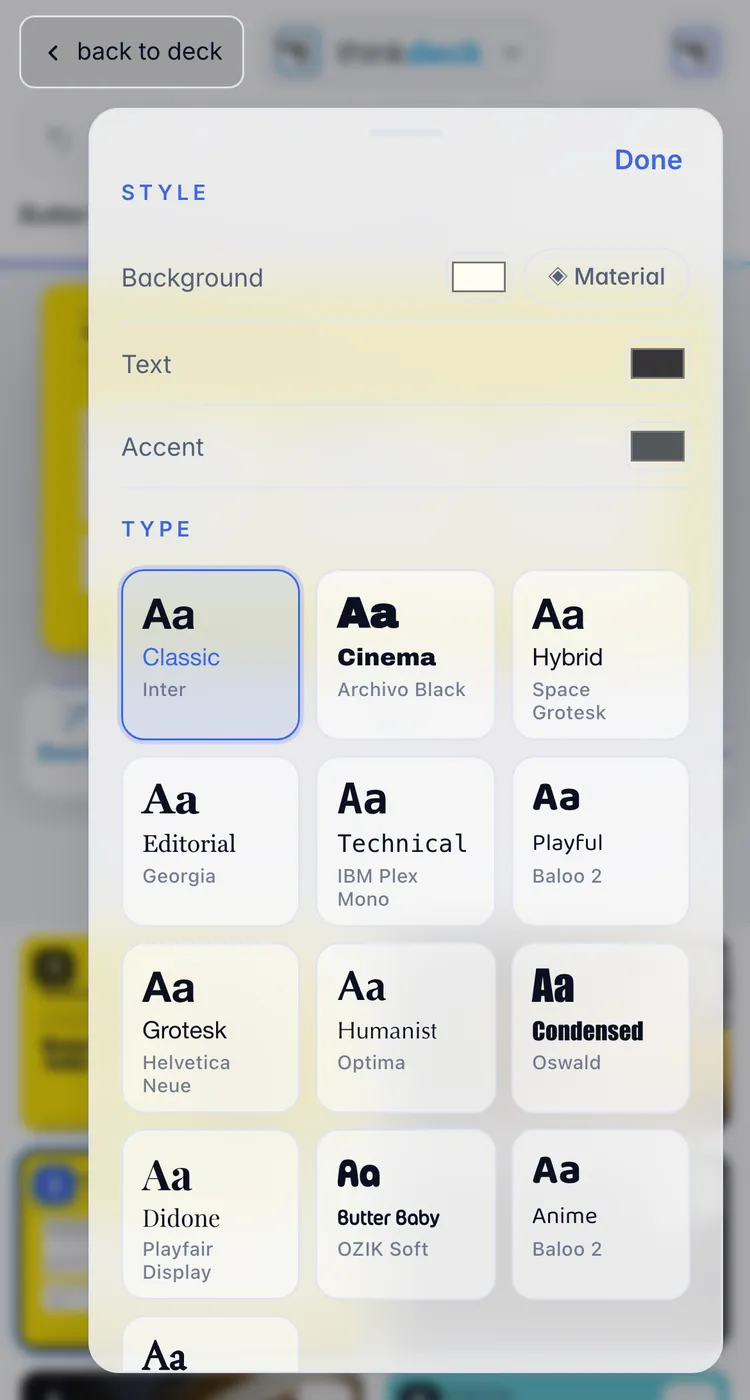
A whole new look in one tap.

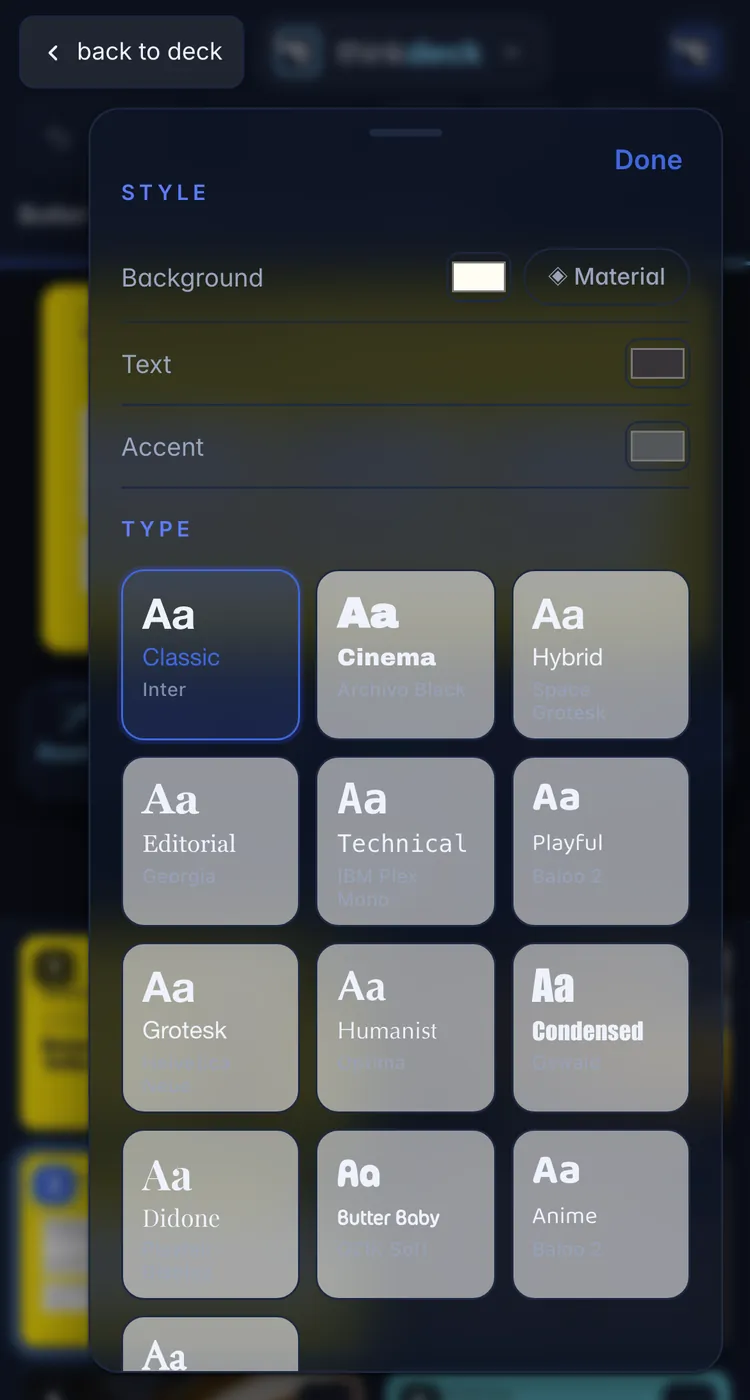
Pick a type family and a palette and see each one as a real little slide before you choose. Every page restyles at once, and your words stay where they are.

TypeLooksColoursLayouts
thinkdeck
The Style sheet in thinkdeck showing type families and looks as small slidesThe Style sheet in thinkdeck showing type families and looks as small slides
05

Words that shine.

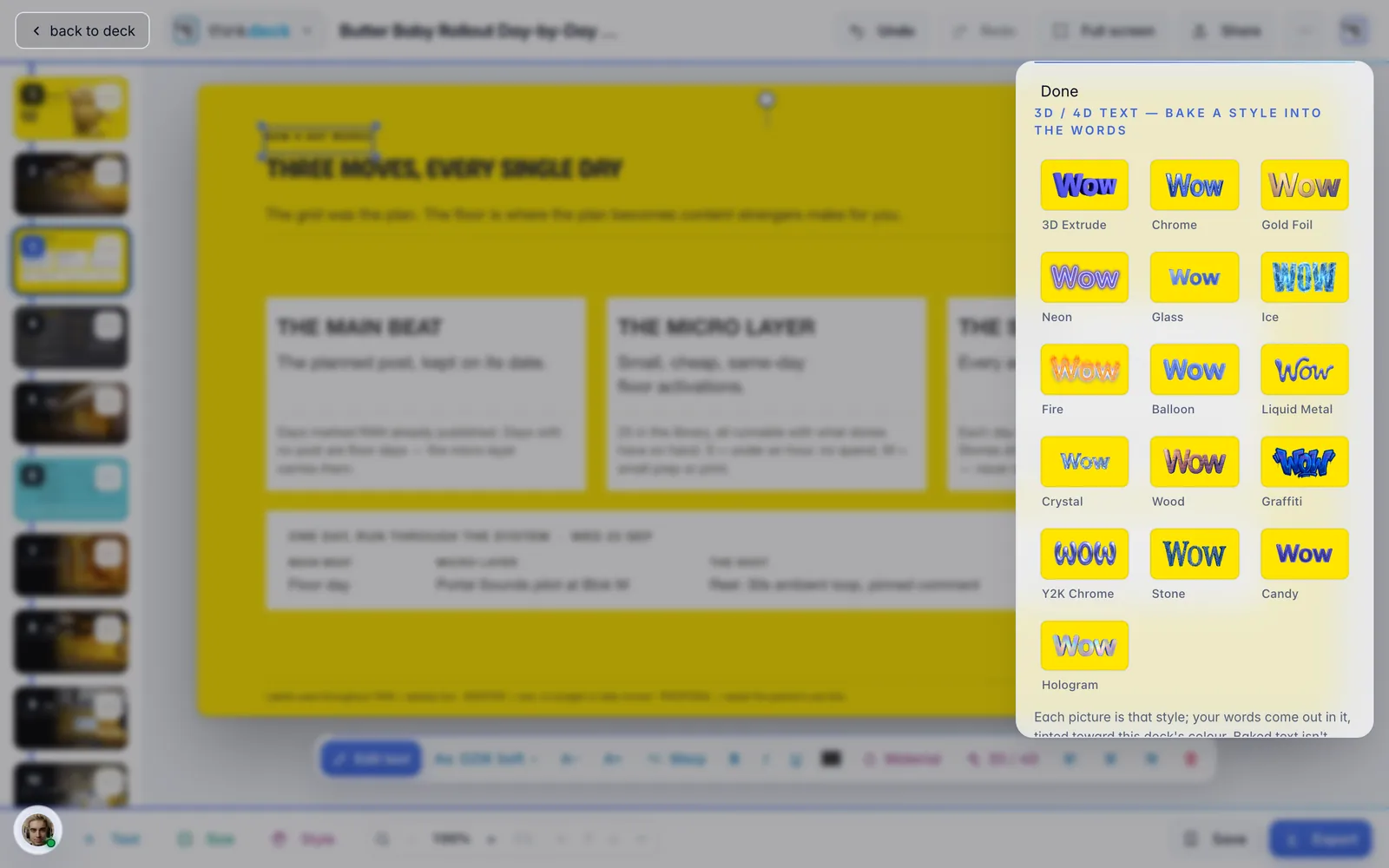
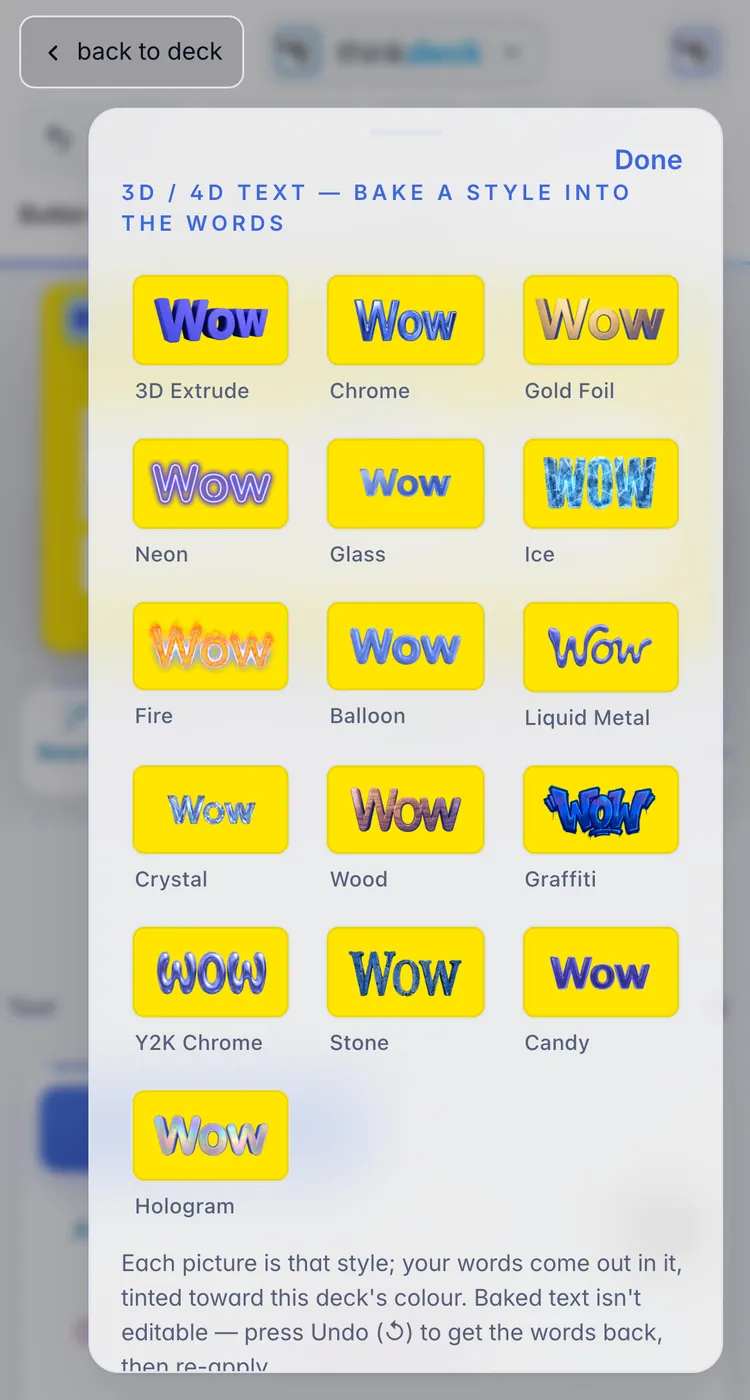
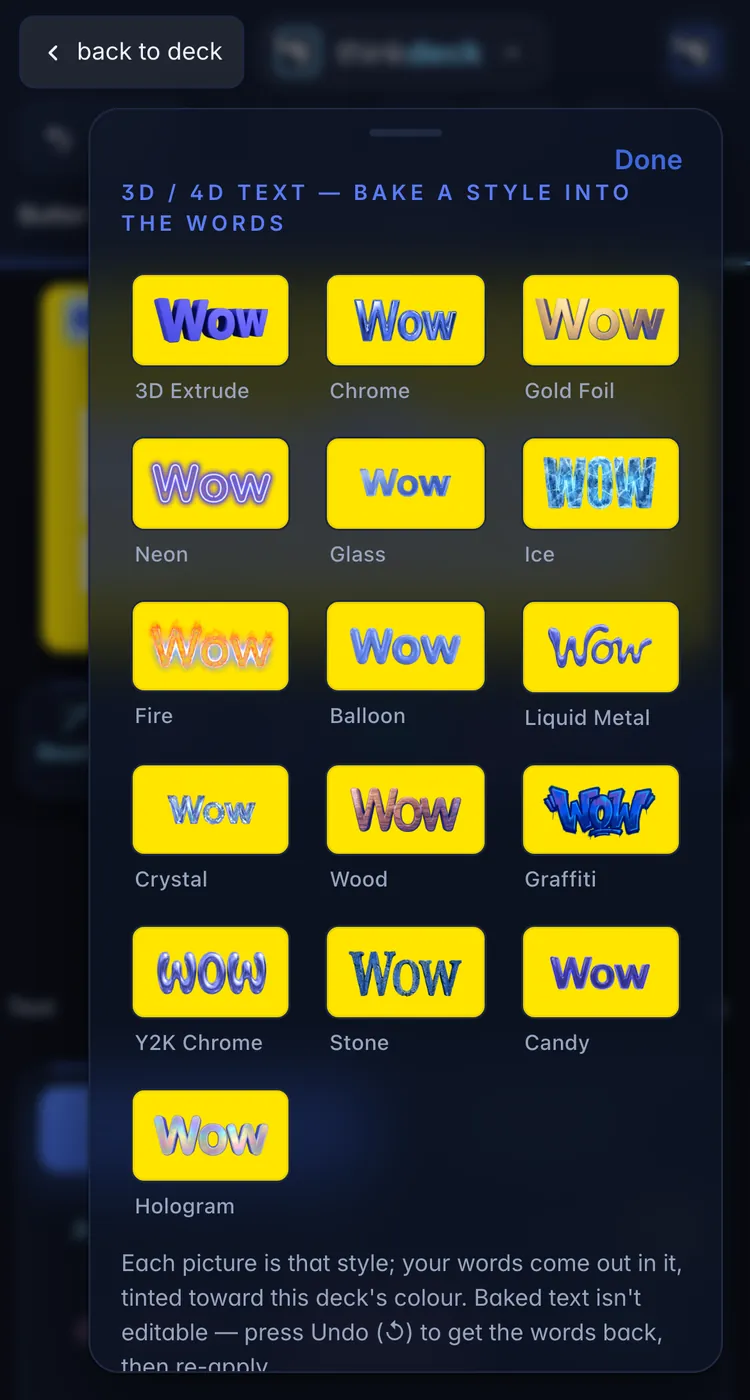
Give a headline a real finish: chrome, gold or holo fills, a bend or a warp, or bake it into 3D and 4D lettering, with each style shown as a picture of what it makes. Fills and warps stay live text; a 3D bake turns the words into art, and Undo brings them back.

Material fill3D / 4D textWarpBend
thinkdeck
The 3D and 4D text sheet in thinkdeck, each style shown as a pictureThe 3D and 4D text sheet in thinkdeck, each style shown as a picture
06

Steve rides along in the deck.

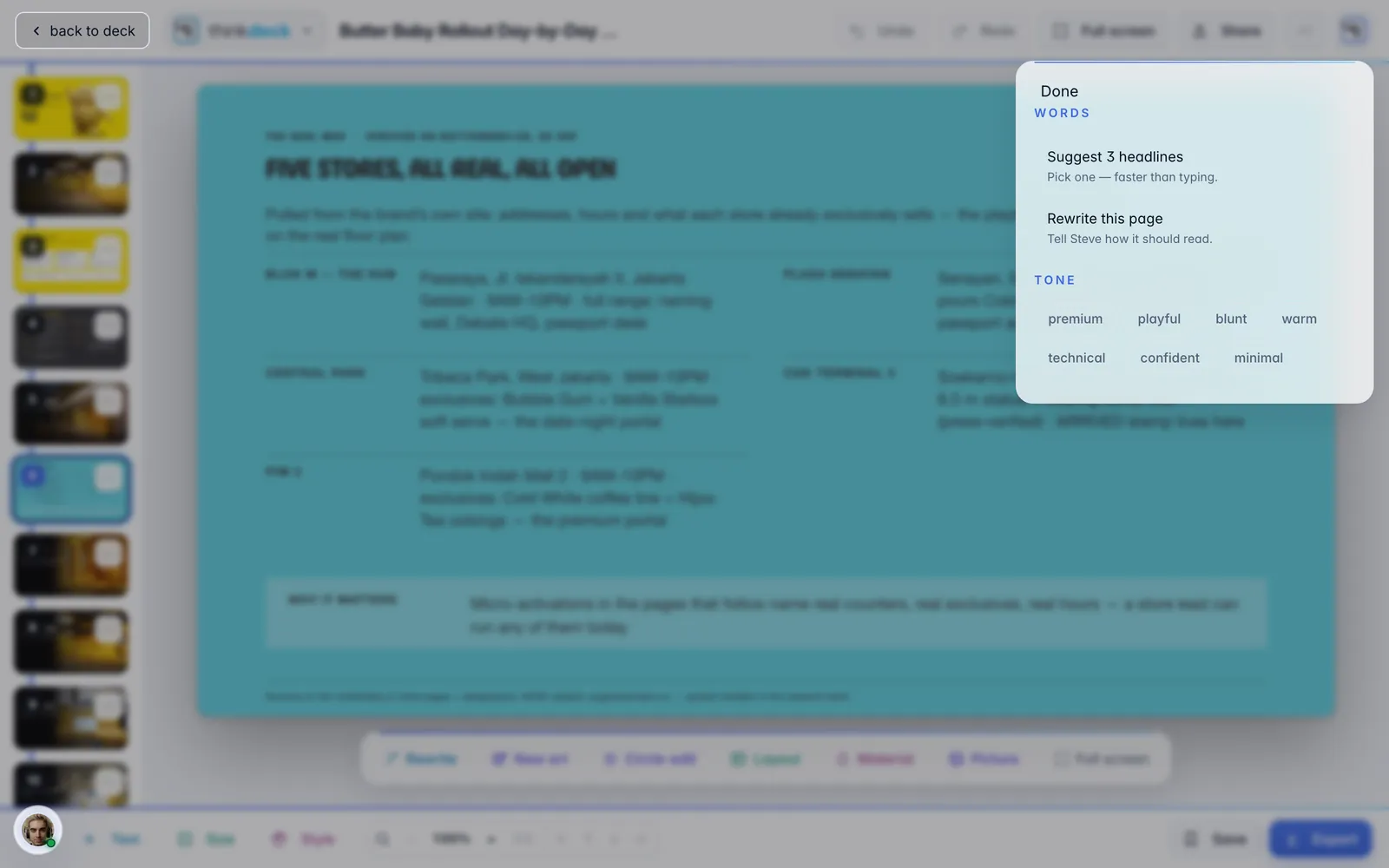
Ask him to rewrite a page, change the tone or sharpen the headlines, and the new words land in the same boxes. Show him the page you are on and ask what to fix.

  • Rewrite this page
  • Change the tone
  • New headlines
thinkdeck
The Rewrite sheet open over a deck page in thinkdeckThe Rewrite sheet open over a deck page in thinkdeck
07

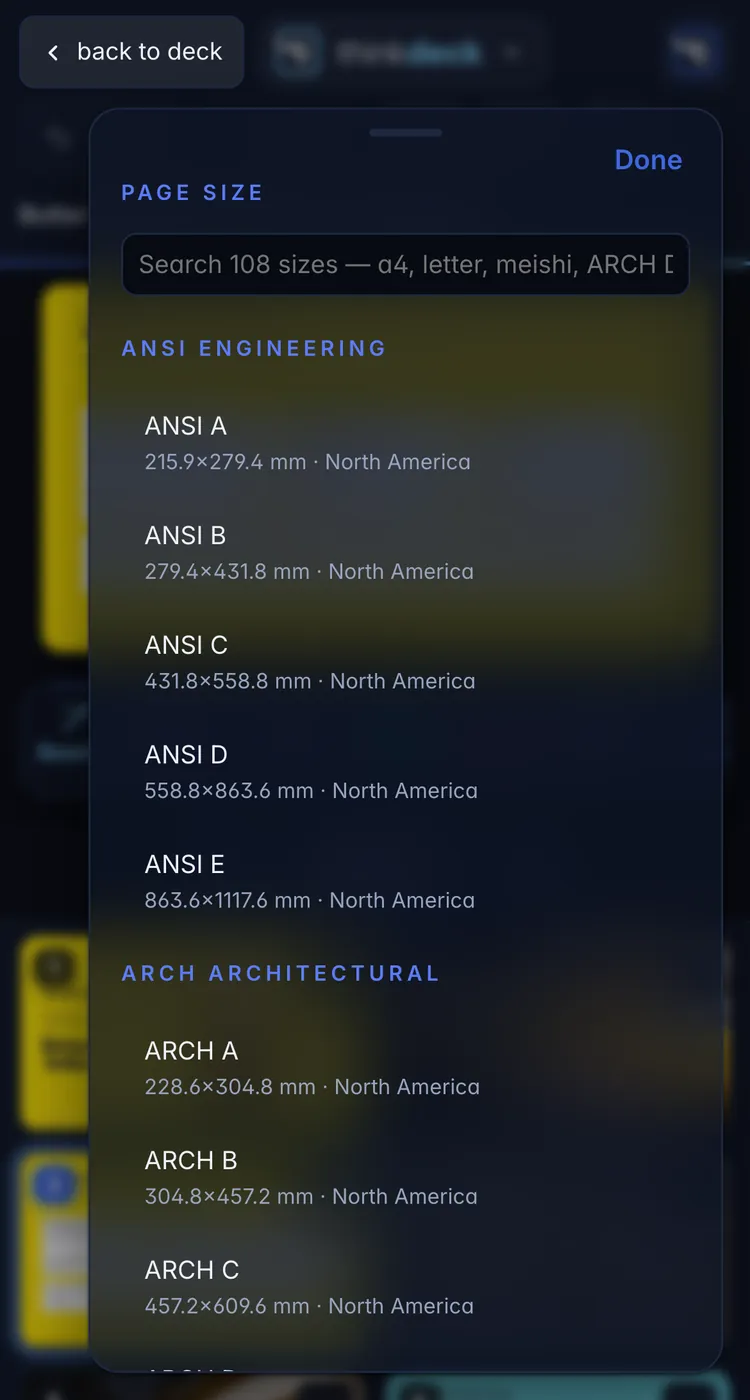
Any size, from a slide to a poster.

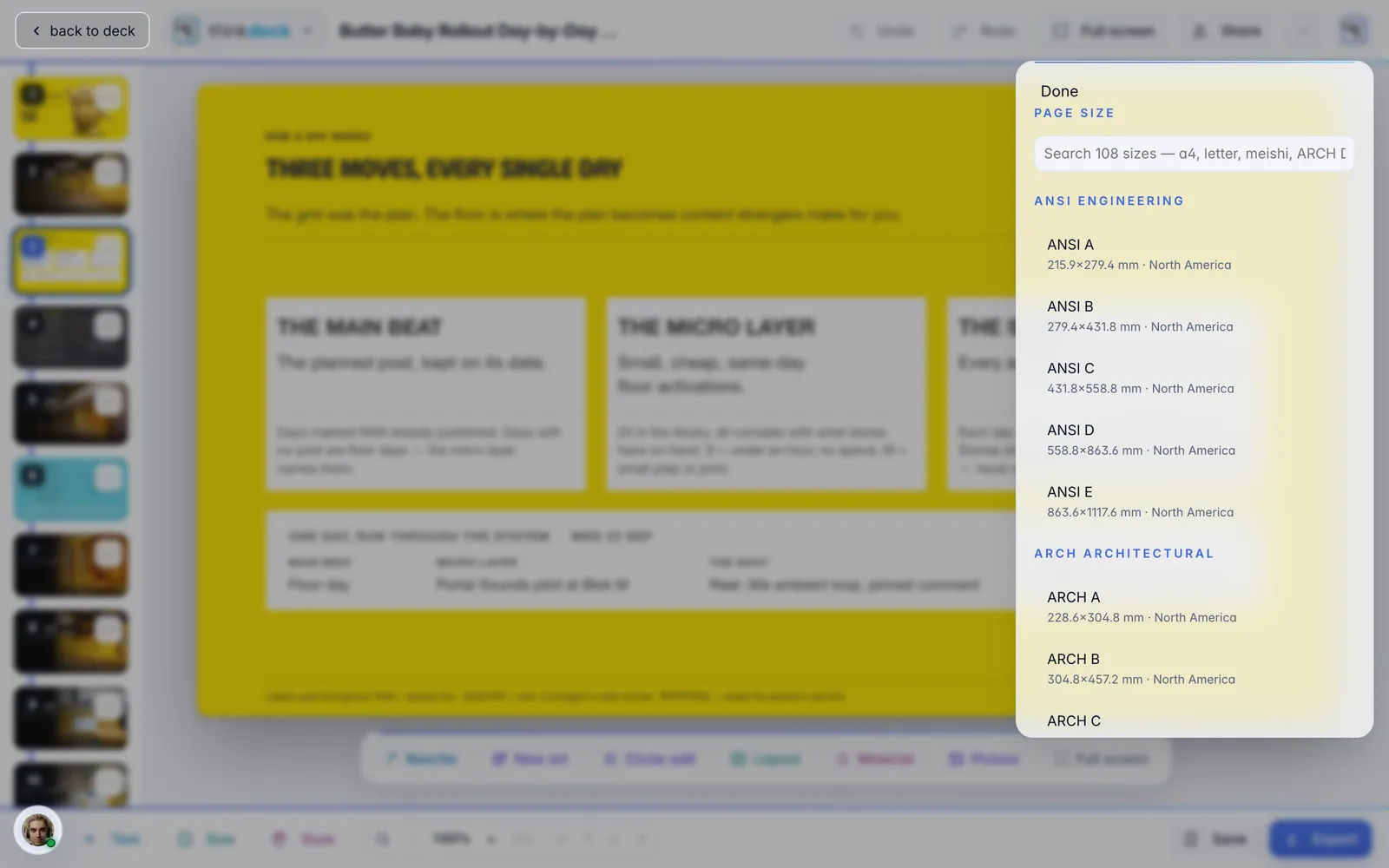
108 real published page sizes: 16:9 slides, A4, US letter, a Japanese business card, an architectural sheet. Change the size and every page re-flows, with your copy kept.

16:9 slidesA4US letterMeishiARCH D
thinkdeck
The page size sheet in thinkdeck listing real published sizesThe page size sheet in thinkdeck listing real published sizes

On your phone

The whole studio, in your pocket.

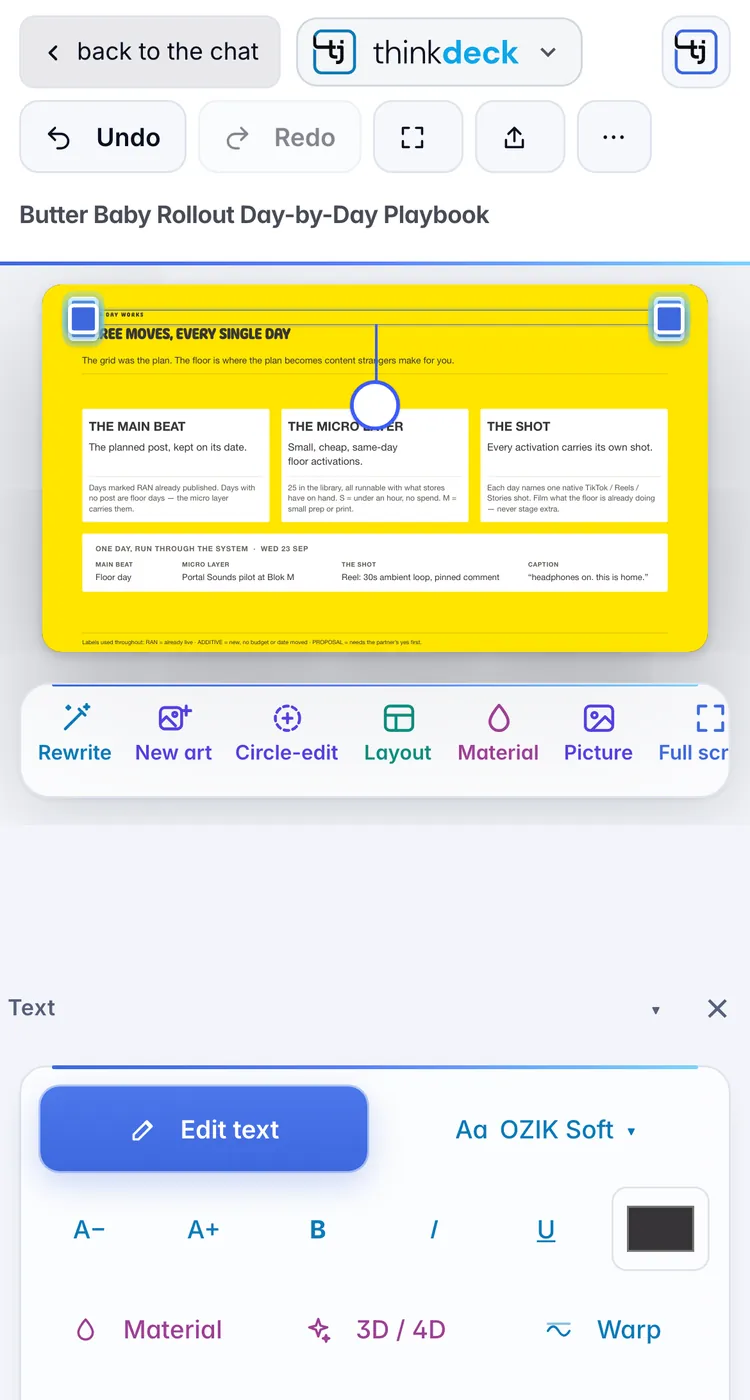
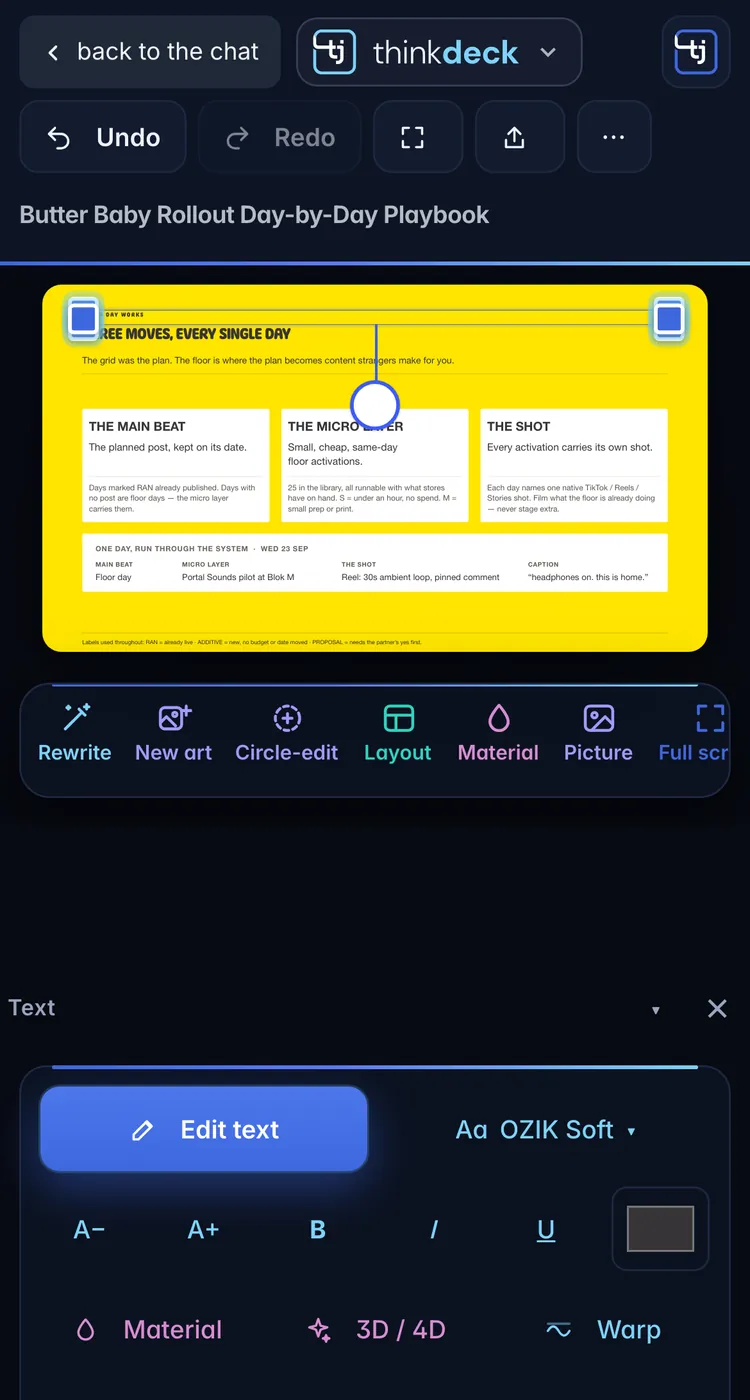
Not a viewer: the same studio, laid out for a thumb. Fix a slide in the cab, then send it.

thinkdeck on a phone: the page, the tools and the page gridthinkdeck on a phone: the page, the tools and the page grid

Your pages as a grid, the tools one thumb away.

Editing a text box on a phone in thinkdeckEditing a text box on a phone in thinkdeck

The text bar docks under the page while you type.

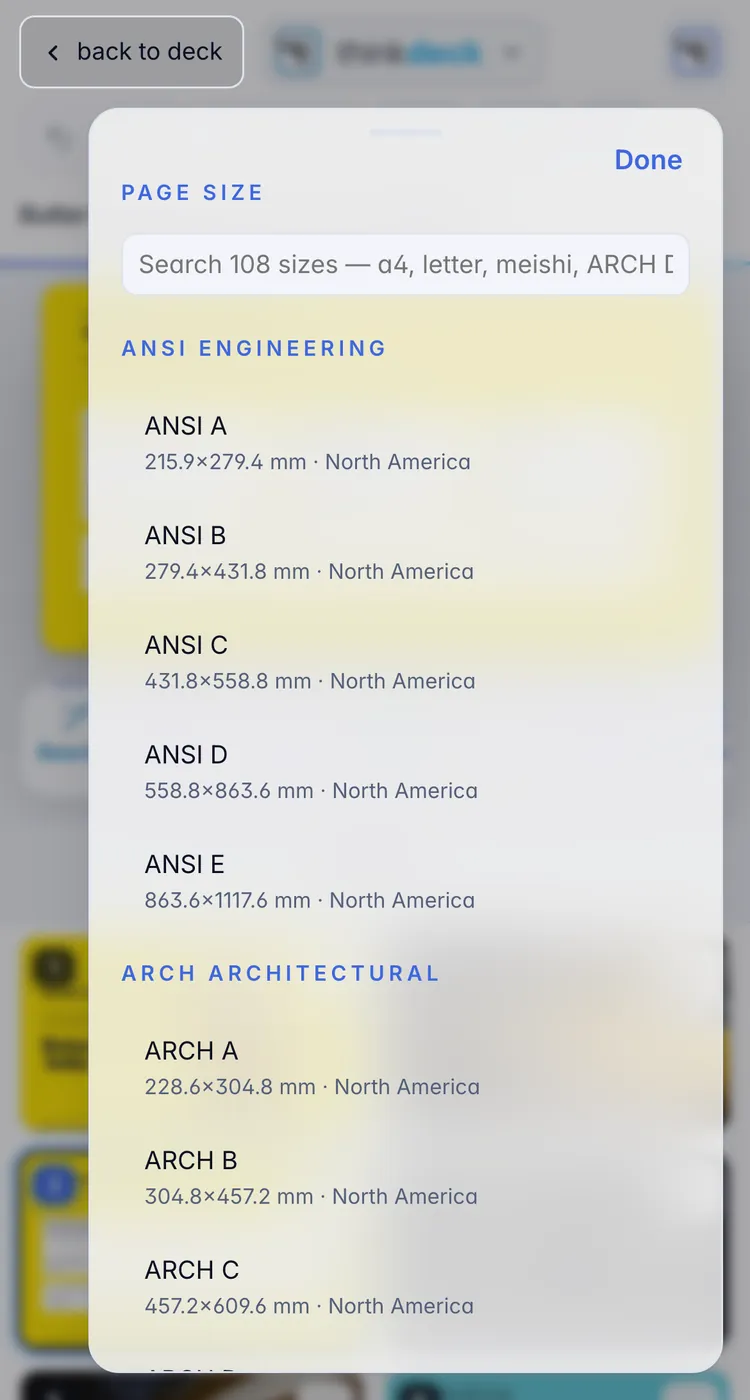
The New art sheet on a phone in thinkdeckThe New art sheet on a phone in thinkdeck

Every sheet slides up, with a real Done button.

What you send

Done here. Opens anywhere.

Export the deck the way the next person needs it. Every save files a fresh PDF and PowerPoint in your workspace, beside the original.

PDFReal selectable textWhat you send. The words stay words, not a picture of them.
PowerPointEvery word editableOpen it in Keynote or PowerPoint and keep going.
ImagesOne PNG per pageReady for a post, a message or a site.
Photoshop / IllustratorLayered, for other prosHand the layers to a designer as they are.

Light and dark

Light for the day. Dark for the late edit.

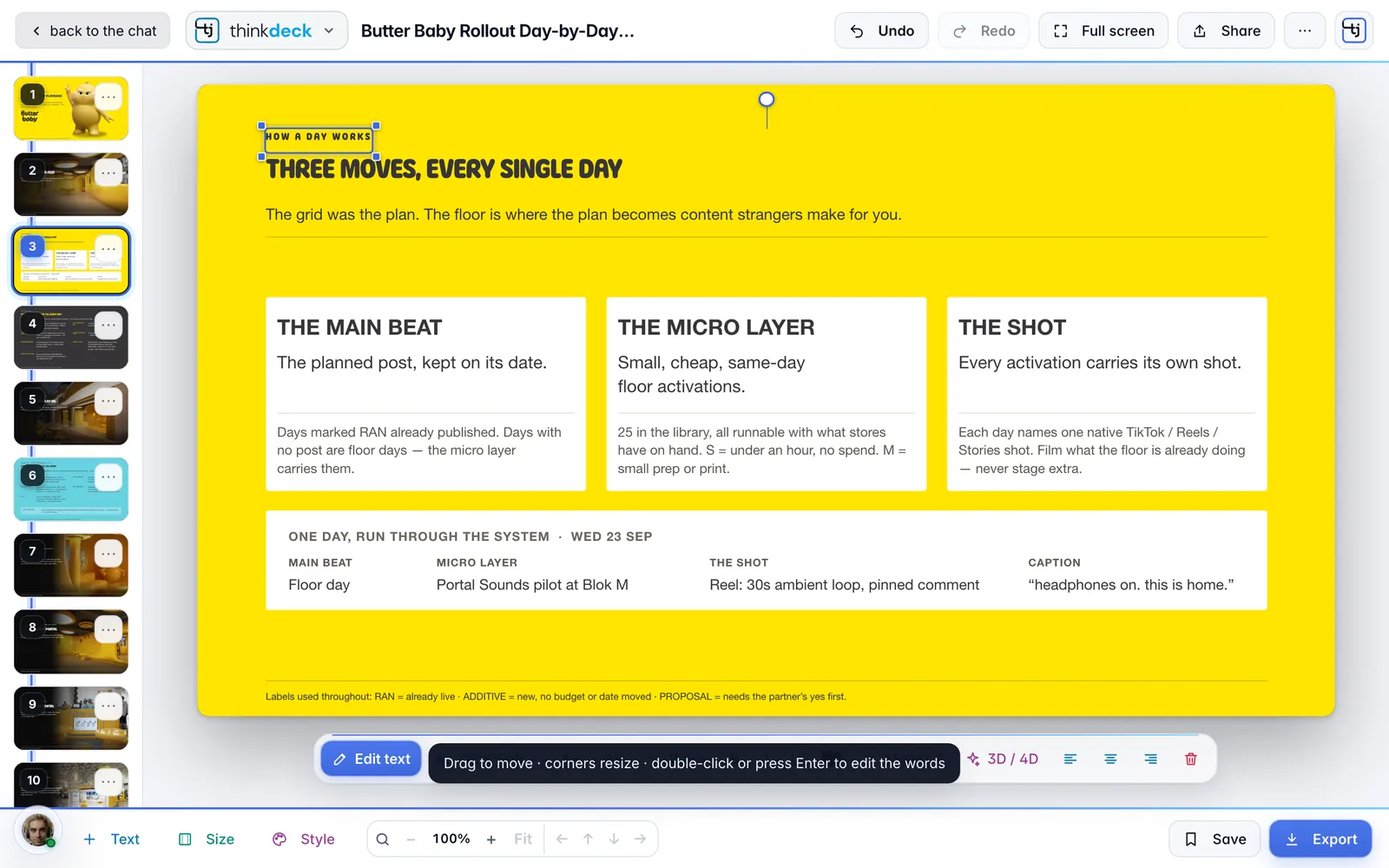
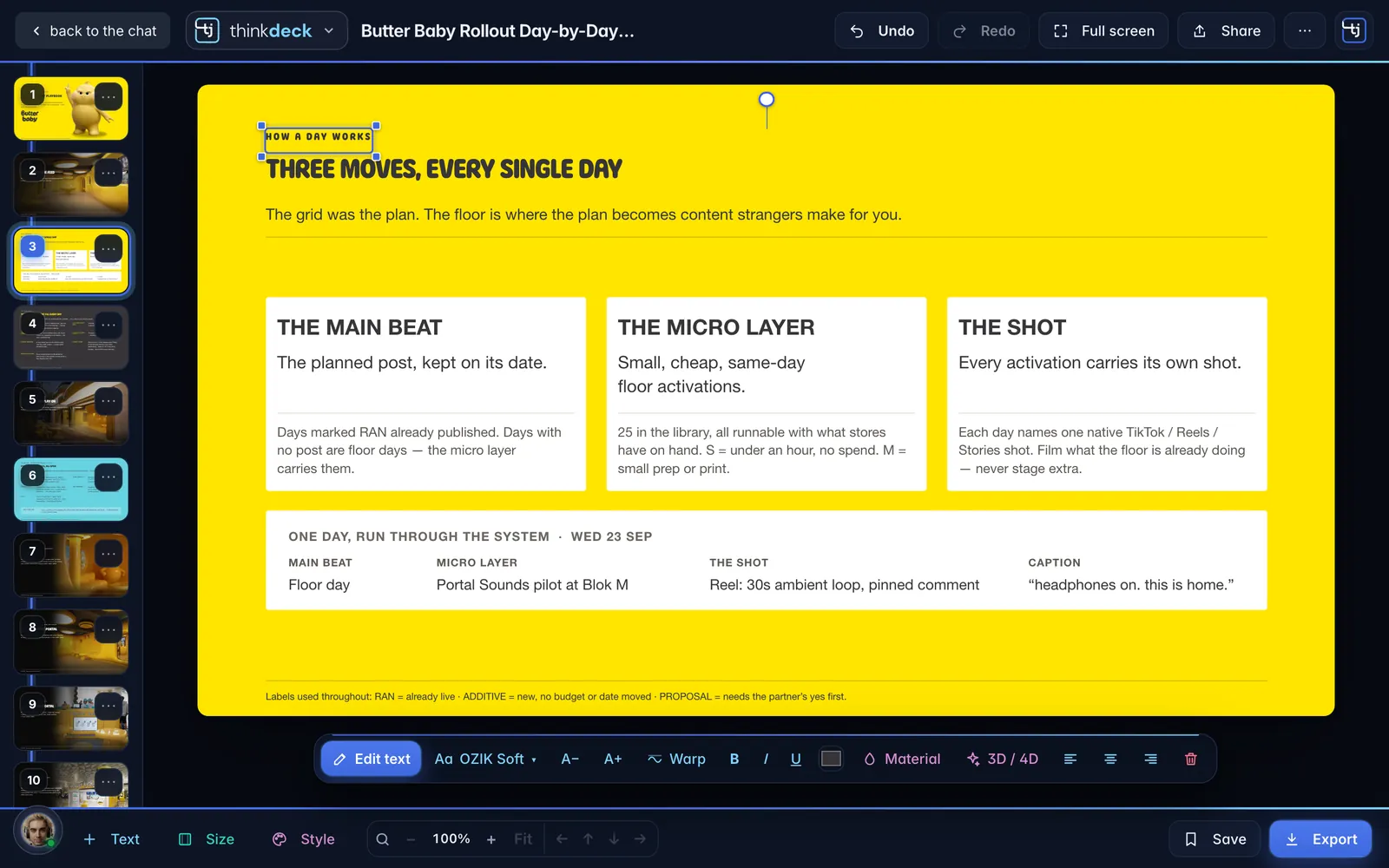
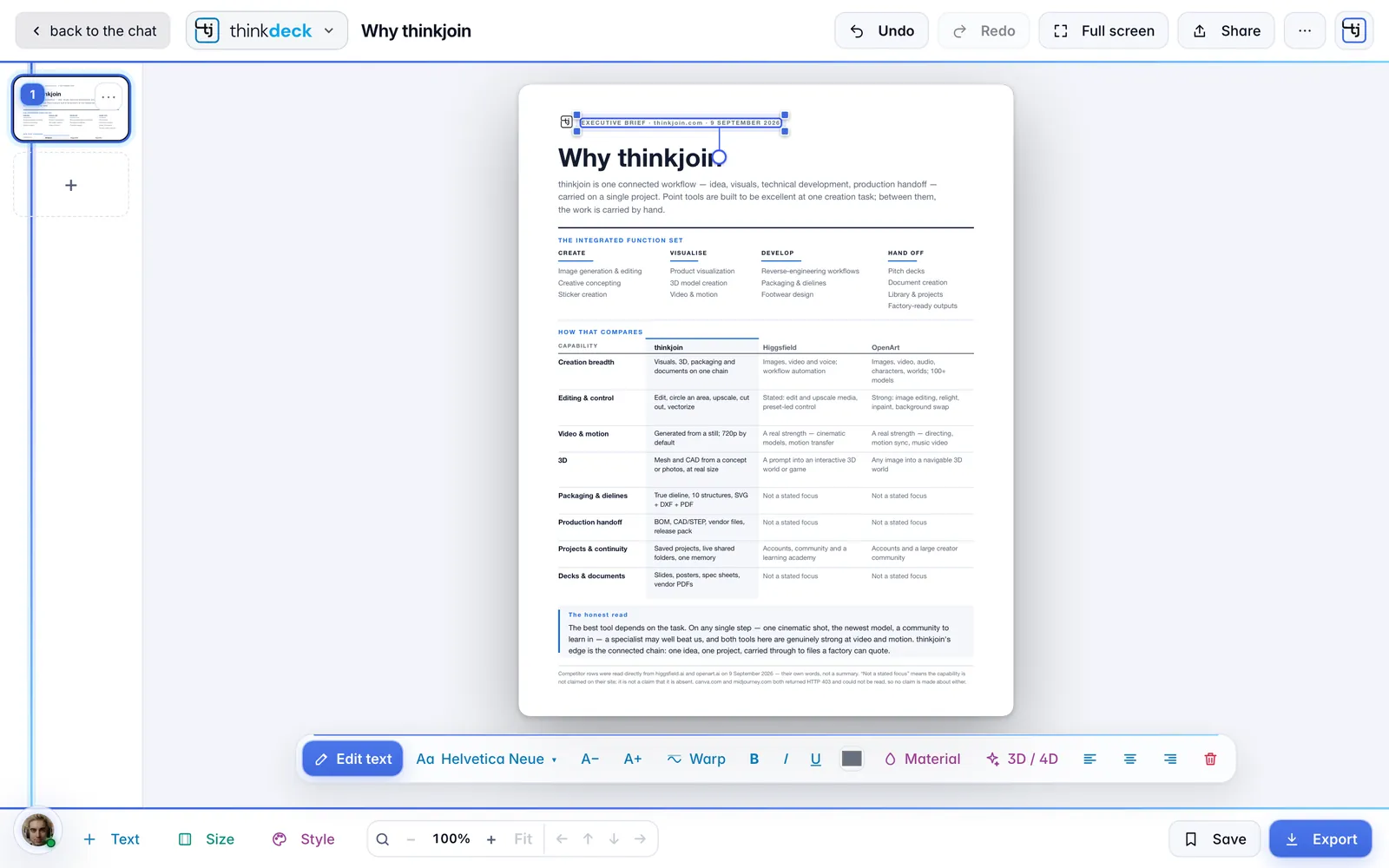
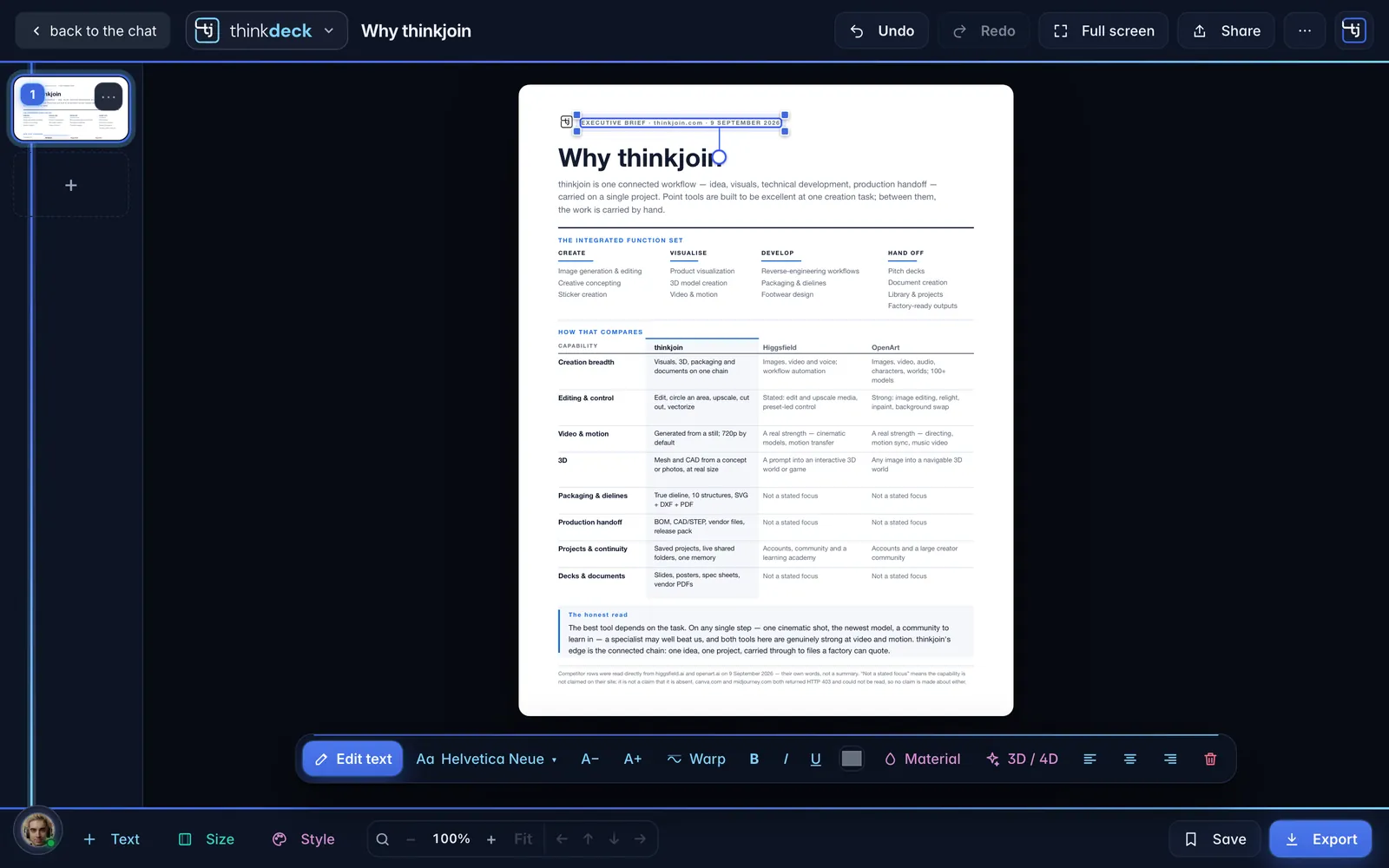
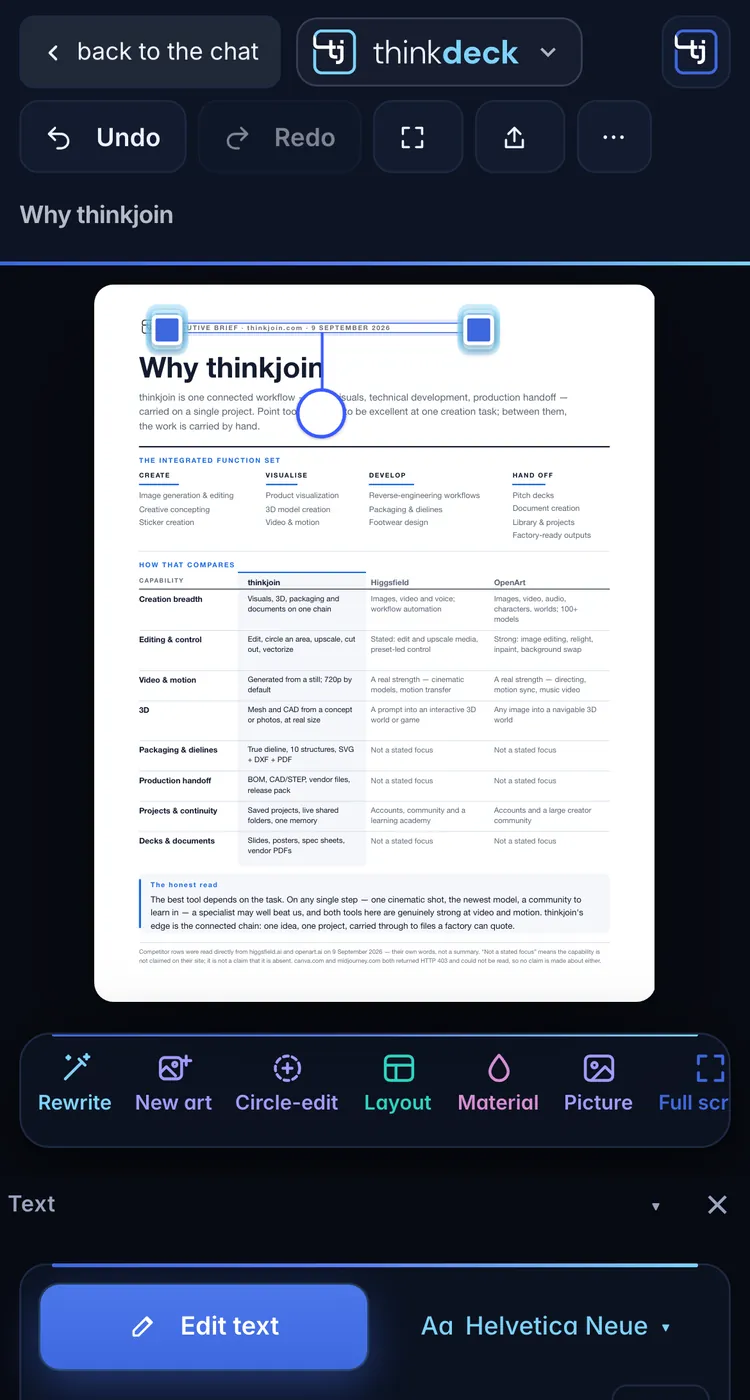
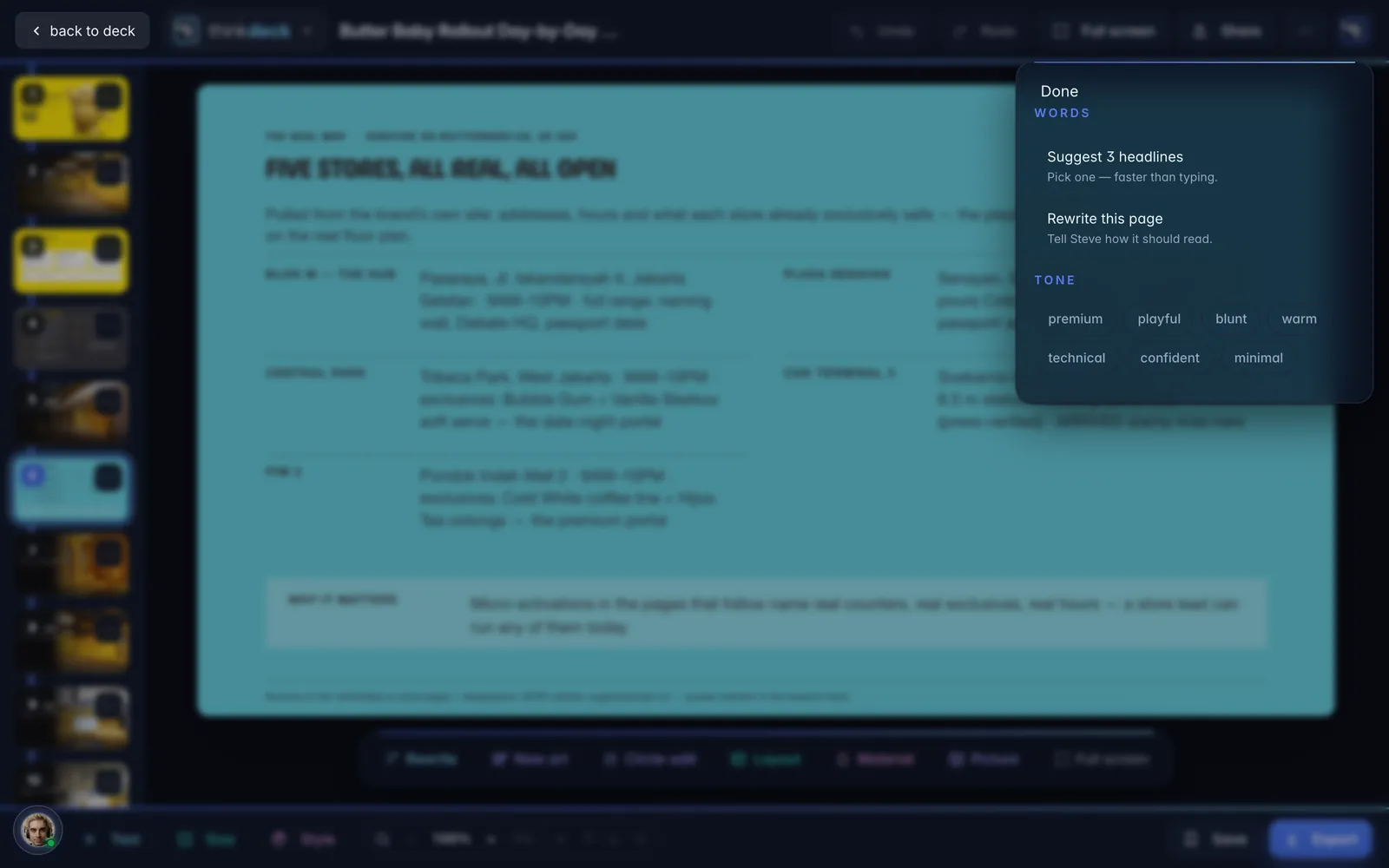
thinkdeck follows your device. Drag the handle to see the same deck both ways, or flip this page.

thinkdeck
The same deck, lightThe same deck, dark
LightDark
The same deck, lightThe same deck, dark
LightDark
thinkdeck

Your next deck, ready to edit.

Ask Steve for it anywhere you talk to him, then open it here and make it yours.

Sign in with your thinkjoin account: Google, or an email link.